 Near
Near


How inviting works in Near
Near opens a quiet, mutual space between you and someone you trust. No feeds, no groups, no address book scanning, and nothing shared until you deliberately send a line.
One-to-one only
Each connection is a private space between two people — never a group feed or broadcast. Near does not put a paid count on valid connections.
Private by default
Near never scans or uploads your address book. It receives only the single contact information you deliberately choose through the system flow.
Fresh invitation keys
Each invitation uses fresh on-device key material for the current encrypted connection handshake. Near has no social-graph server tracking who matters to whom.
Mutual and revocable
Both sides review before connecting. Either person can adjust local wording or step away quietly at any time.
From invite to a shared space
Here is what the invitation looks like on both sides, captured directly from iPhone.
Start from Reach
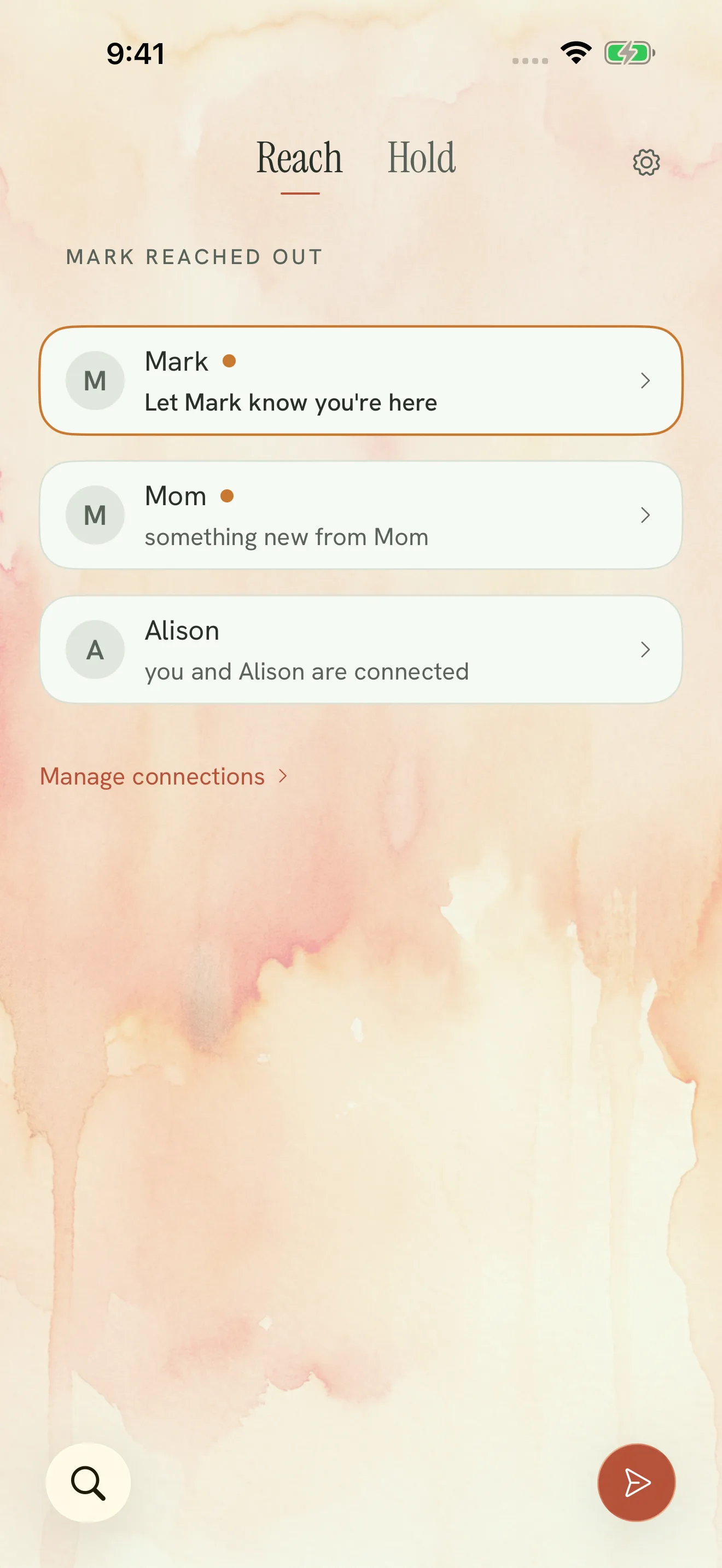
Your connections live in Reach. When you are just getting started, tap Invite someone. You can add another person whenever a new one-to-one space belongs in Near; a valid invitation is not blocked by a Supporter tier or connection count.
Address book privacy
Near uses Apple's native contact flow where available. You choose one person deliberately; Near does not turn your address book into a social graph.

Set a name and relationship tone
Type how you would like their name to appear on your phone, then pick an optional relationship register: Unspecified, Partner, Parent, Child, Sibling, or Friend.
What relationship registers do
Registers tune authored starting lines so words fit the relationship. They never diagnose, score, rank, or permanently assign one person a caregiving role.
Transparent handoff: Near previews the local relationship suggestion without making it a permanent role. The other person keeps their own local choice.

Choose how to deliver the invitation
Near provides direct ways to get your invitation across:
- Invite in Messages: Put the invitation into a private Messages conversation.
- Together right now: If you are together, show the on-screen QR code for the other person's Camera.
- More ways to send: Use the standard iOS share sheet for AirDrop, Mail, or another app you choose.
Discard anytime: You can discard a provisional invitation before it is used.


The other person reviews before connecting
When they open your invitation, Near presents an Invitation Review screen before the connection opens.
- Clear provenance: They can see who invited them.
- Their own local choice: They can accept or change the relationship wording on their side.
- No surprises: Accepting opens the one-to-one space; choosing not now leaves the invitation unaccepted.
If they don't have Near yet
The invitation can lead through the current install path, then return to a reviewable invitation once Near is available on their device.

Your shared space is open
Once accepted, the new connection appears in both people's Reach experience. Either person can send a deliberate line, answer, or leave another supported act of presence.
Either person can adjust their local relationship wording, rename the person on their own device, or step away through the current room settings.
Good to know
What happens if the other person doesn't have Near installed?
The invitation follows Near's current install-and-return path. They still review before a connection is accepted; the website never silently accepts on their behalf.
Does Near upload or scan my contact book?
No. Near uses a deliberate system/person selection path and does not build a social graph from the address book.
Can I change a person's relationship register later?
Yes. The relationship register is local wording context, not a permanent role assigned by the inviter. Each person can adjust their own side.
How do I step away from someone?
Use the current room/settings controls. Revocation does not let one person erase the other person's private Hold or the other person's own copy of material they legitimately own.
Can we have group spaces in Near?
No. Near's relationship model is one-to-one. Opening more valid one-to-one connections does not turn them into a group, feed, audience, or ranking.